
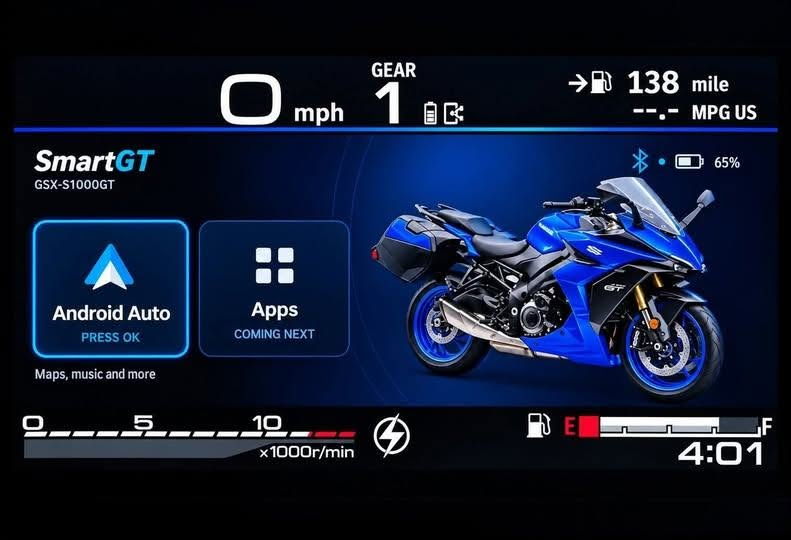
If you take one smart Suzuki owner, add some clever Android development, and sprinkle in a willingness to venture – lightly – into Android Auto Developer Options, you get SmartGT: what Suzuki and Ducati should have done instead of the rather dull mySpin.
A particular frustration comes with buying a modern motorcycle. You get a lovely big colour TFT screen, a sophisticated electronics package, and smartphone integration that seems designed by someone who will never actually use it.
Suzuki’s mySPIN system on the GSX-S1000GT and GX is a case in point. The hardware is perfectly respectable, but when you come to use it, it is more frustration than delight.
Android Auto and Apple CarPlay define the experience we expect, and anything less has us mounting phones or using a dedicated GPS.
SmartGT
SmartGT is an independent Android application that does precisely what Suzuki and Ducati didn’t. And, rather impressively, it does rather more than simply squeeze Google Maps onto the dashboard.
 And if you are wondering whether there is an iPhone option, sorry … you bought the wrong phone. Apple’s ecosystem is the gilded cage where everything just works, provided you never want to leave, change anything, and are happy doing everything the Apple way.
Garage Smarts
SmartGT comes from Derek Reichert, an independent developer who started with his own Suzuki GSX-S1000GX+.
The inspiration is refreshingly straightforward: he wanted Android Auto on his motorcycle’s factory dashboard, controlled through the existing handlebar switches.
Rather than wait for Suzuki to do the job, he set about finding a way to make the existing hardware do something more useful than mySPIN.
A Little Tweaking
For those of us smart enough to have Android phones, getting SmartGT up and running isn’t as simple as downloading an app and heading off into the sunset.
It requires a little configuration on the Android phone, including enabling Android Auto’s Developer Options and removing Suzuki’s mySPIN app before installing SmartGT.
There are no, repeat, no, changes required to the Suzuki or Ducati software. No ECU updates or patches. The bikes remain standard.
Detailed instructions guide you through the process, and it’s hardly a major engineering exercise, but we are straying ever so slightly off the known path.
Considering the end result, SmartGT is worth 10 minutes of following the instructions.
More Than Android Auto
The headline feature is obviously Android Auto, but SmartGT’s ambitions extend beyond navigation and music.
The application effectively provides three different experiences on the motorcycle’s existing TFT.
As an entrée, the Home screen is customisable, letting owners choose their motorcycle model and paint scheme, upload photos of their own bike, and arrange the icons to suit their preferences.
It can even cut the motorcycle out of a photograph on the phone and use it in the interface.
It’s a surprisingly sophisticated level of customisation for something that started life as a personal solution to a software problem.
For the main course, the Dashboard, alongside the usual information, SmartGT can display lean angle, G-force, compass heading, altitude, sunset times and trip information.
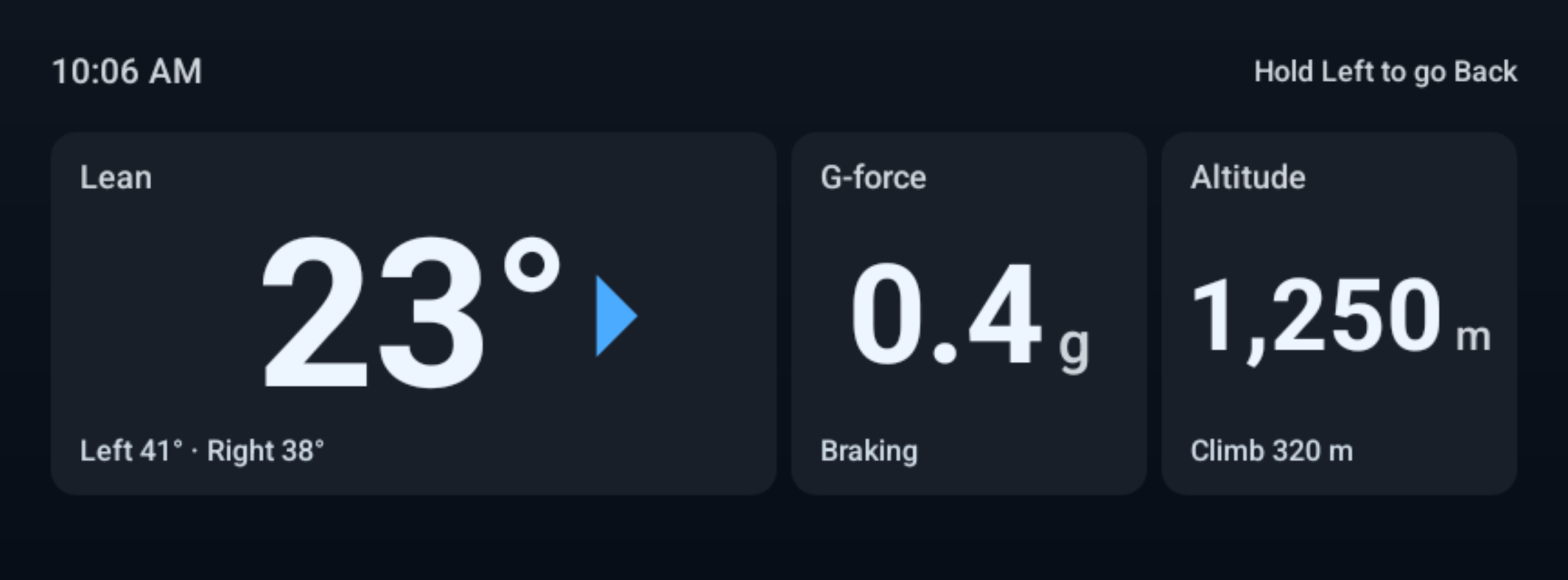
You can select the information tiles and arrange them across different pages, with metric and imperial units available at the touch of a button.
For the G-force and lean angle measurements to be meaningful, the phone needs to be mounted in a fixed position. Your jacket pocket won’t provide particularly useful telemetry unless you’re researching the aerodynamic properties of your riding trousers.
SmartGT brings familiar navigation, music, and podcast apps to the motorcycle’s screen, using the original handlebar controls.
You can keep your phone in your pocket with its display off, while routing voice commands through a connected helmet headset.
Voice notes also let you record thoughts while riding and retrieve them afterwards. A useful feature for anyone who has ever arrived home convinced they’ve had a brilliant idea somewhere between two roundabouts, only to discover that they can’t remember what it was.
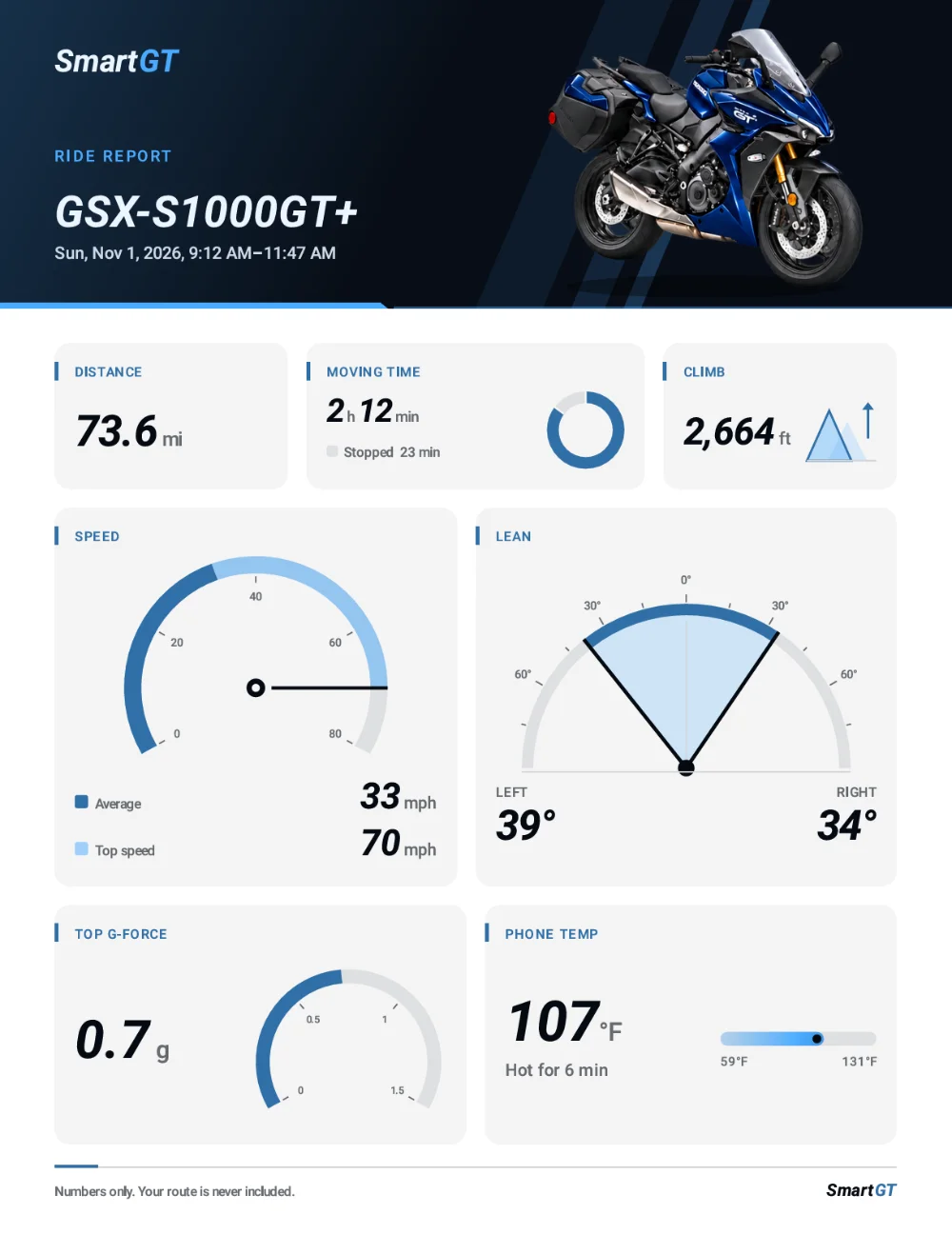
And finally, for dessert, SmartGT also records trips, including distance, moving time, top speed, climbing, lean angle, and G-force peaks. It can produce a PDF ride report complete with the motorcycle’s name and photograph, perhaps something best not shared with the local constabulary.
That’s quite a collection of features for an application originally meant to get Google Maps working on a Suzuki dashboard.
Which motorcycles?
For now, the application is aimed at owners of:
- Suzuki GSX-S1000GT and GT+ (2022 onwards).
- Suzuki GSX-S1000GX and GX+ (2024 onwards).
- Selected Ducati Multistrada V4 variants equipped with Ducati Connect.
It requires Android 12 or later and Android Auto. The standard Multistrada V4 isn’t supported, and neither is every Suzuki motorcycle with a TFT screen.
A free version covers the custom home screen, dashboard, trip recording, reports, and voice notes. Android Auto and the on-bike voice assistant require a paid subscription or lifetime licence.
That seems a reasonable approach. Owners can explore the clever bits before deciding whether the headline functionality is worth paying for.
Privacy – Good News
 Reading between the lines, I believe Derek Reichert doesn’t want to be tracked by the evil algorithm.
The SmartGT app doesn’t need an account with him to run; there is no advertising; SmartGT won’t track you, although heck knows what Google might do with the data from Android Auto, and notes and ride history aren’t uploaded to cloud servers; they are on your phone.
Bottom Line
SmartGT is brilliant, and like all applications, it has to start somewhere. Right now, it hasn’t accumulated the sort of long-term user feedback that makes it a slam-dunk choice for serious touring.
That said, you have your phone, which gives you a known fallback option if it all turns to custard.
Running Android Auto on your phone tends to eat battery life. I have a Chinese screen in my car, and I get around three hours of use from a full phone battery when running Kurviger navigation.
An external power supply for your phone makes sense, especially if you’re touring.
And lastly … heat. Assuming long warm summer days, touring across continents under blue skies and sunshine, having a hard-working phone in your pocket might not be ideal.
But none of these should detract from the brilliance of SmartGT. We can only hope that Suzuki comes along with their chequebook open and asks, “How much?”
Find out more:
- SmartGT official website – product information, setup instructions and developer information.
- SmartGT on Google Play – download, features, pricing and compatibility.