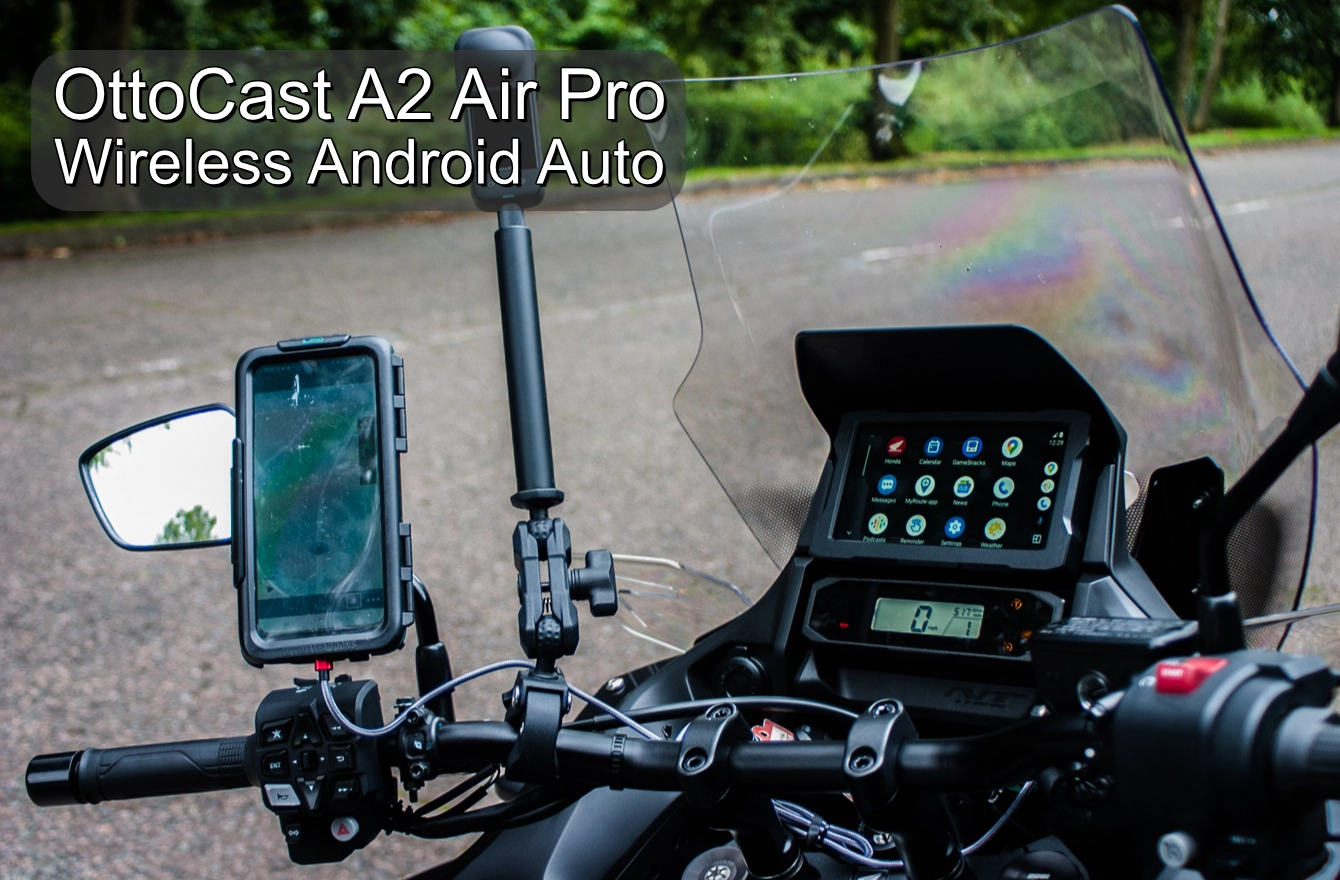

The upper display on Honda’s NT1100 – and the Africa Twin – comes in for criticism, mainly based on the time it takes to wake up.
The LCD screen below the fancy 6.5-inch colour TFT shows your speed and all the required warning lights, which means we can ride away while the bigger screen sorts itself out.
Yet it still feels like we are rushing if we leave before the boot-up sequence is complete.
It is strange how 16 seconds can feel so long, so I’ve taken to starting the Honda and then putting my gloves on while the screen completes its start-up routine.
And thanks to the Ottocast A2Air Pro I’ve been running, my phone now automatically connects and runs Android Auto on the Honda’s colour TFT screen, all without wires.
Wired
I’m not sure I understand Apple CarPlay or Android Auto enough to be a fan. Still, the Ottocast overcomes one of the more significant barriers to me becoming more familiar with the technology.
The concept is that compatible CarPlay or Android Auto phone applications can be displayed on a larger screen in the vehicle so that you can store your phone somewhere safe. It makes sense in a car. Not so easy on a motorcycle.
There is a whole industry surrounding mounting a phone on a motorcycle. Quadlock and Ultimate Addons are but two that come to mind. If I have the phone mounted on the motorcycle, then I don’t need CarPlay or Android Auto because I can see my phone, so I may as well use it.
It would all make more sense if I could leave my phone in my jacket and have Android Auto or CarPlay connect over Bluetooth. For that to happen, motorcycle manufacturers have to Bluetooth enable the motorcycle, and as not everyone will want the functionality, there is no point.
Ottocast A2Air Pro
Wandering through YouTube, I came across the Ottocast A2Air Pro, a small – 6cms square by 1cms thick – device that converts wired CarPlay or Android Auto enabled motorcycles to Bluetooth.
 There is no complicated setup. In fact, it is so simple that there is little more to say about the Ottocast A2Air Pro other than that you plug it in. Naturally, your motorcycle has to support Android Auto or CarPlay from the factory; at the moment, I’m only aware of Honda and Harley Davidson doing this.
The first activation of CarPlay or Android Auto is best done via a wired connection, as the process updates the software on your phone if needed.
Once complete, disconnect the phone, plug the Ottocast A2Air Pro into the motorcycle, and pair your phone with the Ottocast as you would with any other Bluetooth device.
The first Bluetooth connection took a while to sync, even after the wired connection. Something was happening between the phone and (in my case) Android Auto. Still, once the motorcycle and my phone had finished getting to know each other, subsequent connections were quick, effortless and automatic.
When I turn the ignition on, the Ottocast, which gets its power from the USB port, comes to life. My phone connects automatically, and the Android Auto display appears on the Honda NT1100s larger display.
Ottocast also includes a double-sided sticky pad and two relatively short but functional USB leads so you can tuck the A2Air Pro somewhere out of sight.
Intercom
Whereas having a map or your music library displayed on the larger screen is wonderful, if you want sound, you need to connect your bike – in my case, the Honda NT1100 – to your intercom.
For the Honda implementation of Android Auto or Carplay, this is a requirement. Neither of them will work without a Bluetooth-connected headset/intercom.
As you are connecting to the motorcycle via Bluetooth, Sena Mesh takes care of talking to pillions or other riders. I used the Sena Spider ST1 while riding the Honda NT1100 and had no issues.