The range of Sena intercoms is impressive if a little confusing. The entry-level Sena SMH5, which costs less than £100, is an excellent headset that will connect to your phone or GPS and, naturally, pair with another Sena intercom. It is simple, efficient, and I used one extensively until the Sena 50S with Mesh functionality became available.
Between the Sena SMH5 and the top of the range Mesh enabled Sena 50S and 50R are a range of motorcycle intercoms, some with built-in 4K cameras (Sena 10C Evo), some that will share music and some that will support a 3-way Bluetooth connection.
But what happens if you don’t all have the same Sena Intercom?
Carle, for example, has the Sena 50S on his Schuberth C3 and the integral Bluetooth Sena unit installed on his Schuberth C4 Pro. Billy has a Sena SMH5 and Roger the Sena 20S with upgraded speakers, which is odd for someone who keeps verbal communication to a minimum. Meanwhile, I have a Sena 50S and a Sena 10C Evo.
Armed with a random selection of different Sena Bluetooth intercoms, we decided to discover how far we could get, getting them all to communicate with each other.
The Sena App is The Key
The Sena Bluetooth and Sena Mesh intercoms have a multitude of features. You can control some of them through the jog dial and the other buttons on the intercom units, but for an easy life, you need the free Sena App.
 The App, for example, gives you access to a fast-pairing QR code. To pair your Sena Intercom with another, you scan the other person’s QR code, and the Sena App does the rest.
You can even arrange your favourite Bluetooth connections in order so that tapping the jog dial the corresponding number of times will instantly pair you with that Intercom.
Then there are the other features you can control. You can adjust the master volume, change the sensitivity of the voice activation, set the audio priority for when you are connected to multiple sources … the list goes on.
In short, the Sena App is your friend, and as long as you have a reasonably new phone – unlike Roger, whose phone is five years old and many generations of Android out of date – you won’t have any problems.
One to One Bluetooth
We decided to start with a simple test and establish if all of the Sena intercoms would connect, one to one, using just Bluetooth.
As you might imagine, this worked perfectly. The Sena App certainly makes connecting and choosing which of the other Sena intercoms to communicate with quick and easy.
All of the intercoms were clear, although the Bluetooth only connection between the Sena 50S and the built-in Sena in the Schuberth C4 Pro needed more audio tuning than the others.
When testing it in the garage, the audio is clear straight out of the box, but get up to speed on an open road, and the sound became muffled. After tweaking some of the audio settings, we improved the quality, but of all the Bluetooth only connections, this was the one that gave us the most work.
The single-channel nature of Bluetooth also proved to be a little inconvenient. I have too many alerts set on my GPS, and with the GPS set as the priority audio channel, I sometimes missed what Roger was saying, thanks to the GPS alerting me to an upcoming safety camera or a speed limit change.
Besides those minor inconveniences, the Bluetooth One-to-One intercoms worked perfectly and removed the need for arm waving, pointing and shouting.
Bluetooth Groups
Whereas Sena’s Mesh technology was developed to connect multiple intercoms, not all Sena Intercoms come with Mesh functionality. Even without a Mesh enabled Intercom, there are still two ways you can group different Sena intercoms together.
The first way is to build a Bluetooth Group. For this, one of the Sena intercoms acts as the Master, and it connects with the other Sena intercoms using Bluetooth.
All of the inter-device communication passes through the Master intercom. So, for example, if Rider A is the Master, then conversations between riders B and C first go to Rider A and then Rider A transmits this to the other Sena intercoms in the Bluetooth group.

Transmission occurs in real-time, and unless you read the manual to find out how grouping over Bluetooth works, you would not know the conversation was being relayed via the Master intercom.
It is a clever way to use the two Bluetooth channels that Sena has developed, and there are a couple of things to be aware of.
If you are the Master, both of the Bluetooth channels on your Sena intercom are used. So, you won’t, for example, be able to listen to your GPS at the same time as running the Bluetooth group.
If the Master goes out of Bluetooth range or turns off their Intercom, the Bluetooth group drops out and won’t automatically reconnect.
My colleagues decided I was going to be the Master intercom, and occasionally they were talking so much that the audio quality for me, the Master intercom, was reduced. At the same time, between the other riders, it was clear.
We suspect the reduced audio quality for the Master Intercom was due to the extra workload it has to complete. It isn’t a big issue but something to be aware of.
The maximum capacity of Sena devices in the Bluetooth group varies between devices. The Sena 10C Evo will support four devices in a Bluetooth group whereas the Sena 20S Evo will support a maximum of eight.
Overall, Bluetooth Groups are a good solution, but if you want crystal clear audio and a GPS connection as well?
Sena Mesh
We tested the Sena 50S and 50R Mesh intercoms in the summer of 2020. In short, they are excellent, and the Sena Mesh technology is a huge step beyond Bluetooth Grouping.
You can use Sena Mesh while also using Bluetooth to connect to music or your GPS. You can choose which audio stream is most important and have this mute the other audio streams when it needs to be active. It is a handy feature if someone talks when the GPS wants to tell you about an upcoming turn.
Yet if you own one of the other Sena intercoms that only supports Bluetooth, and the rest of the group are using Sena Mesh, how do you join in?
Sena +Mesh
Sena +Mesh is a stand-alone device that you connect your Sena Bluetooth intercom to, and the Sena +Mesh then connects you into the Mesh network. You get all of the Mesh features and functionality and can also connect to your GPS on the secondary Bluetooth channel.

No wires. No cables. Small enough to put in your jacket pocket or attach to your handlebars using the supplied rubber mount.
The Sena +Mesh battery lasted as long, if not longer, than the battery in the Intercom and once set, we forgot about it for the rest of the day.
We set Roger off on a ride by himself to see if the Sena +Mesh would automatically re-join the mesh conversation that was running between two Sena 50S intercoms. I’m not sure why we thought we needed to test this. The Sena +Mesh acts precisely the same as the mesh enabled intercoms.
Perhaps it is the seamless way in which Sena Mesh works. You join the mesh network, get crystal clear audio and can leave and re-join the mesh conversation without having to do anything. We went looking for problems, where none exist.
The +Mesh worked with all of the Sena Bluetooth intercoms we have, including the Sena SMH5 and the Sena 10C Evo. It is the perfect answer if you want to upgrade or expand the capabilities of your Sena Bluetooth intercom without replacing it.
So, Everything is Wonderful?
Yes, however …
Roger, whose phone is so old it is steam-driven, had no problem connecting the Sena 20S to his phone for music and phone calls but couldn’t get the Sena App to connect. None of our other phones had a problem connecting to the Sena 20S. It was just Roger’s ancient Android phone that decided it didn’t want to work with the App.
Without the Sena App, controlling the intercoms would be a frustrating experience.
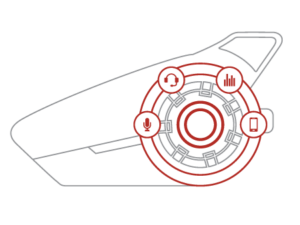
To get the best from the Sena intercoms, you need to invest an hour in getting everything connected and configured. The ability to tune the audio quality, set the radio stations you want, and define how all the other intercom features will work with each other is wonderful. You just need to invest a little time.
Once you have done that, it is a connect and forget experience. Connecting to Roger’s Sena 20S Evo over Bluetooth, for example, now only requires a couple of clicks on my jog dial, and the Bluetooth connection is made. It could not be simpler.
We spent the rest of the day trying every combination of Sena intercoms we could think of and never once failed to communicate. Only once did we need to open the Sena App, and that was to tune the sensitivity of the voice activation on Carle’s 50S.
The only problem I have now is how I get my colleagues to stop talking. Even the ordinarily stoic Roger is now as loquacious as they come.
Clarity
Some of the Sena devices we used for this test we bought with our own money. Others were supplied by Sena for us to evaluate.
As always, anything we test, we do so in accordance with our Product Testing Philosophy.
The three motorcyclists image is based on an original work by Henry Orr.